
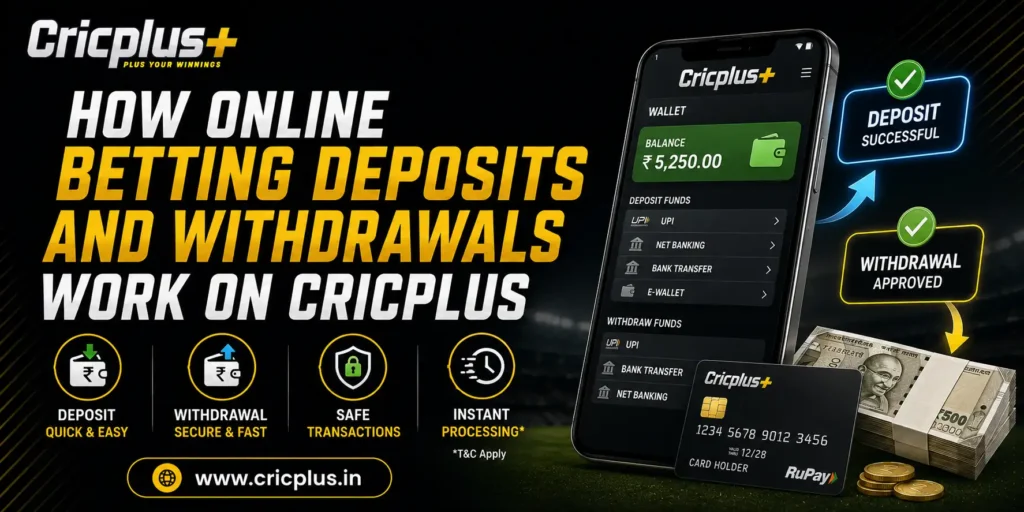
Managing deposits and withdrawals is one of the most important parts of using any online betting platform. Whether you are adding funds to your account before placing bets or requesting a withdrawal after completing your betting activity, understanding how the payment process works helps create a smoother overall experience.
The Cricplus platform supports various payment options that allow users to fund their accounts and manage transactions securely. While the exact processing time may vary depending on the selected payment method, most transactions follow a straightforward process designed to keep account management simple and convenient.
This guide explains how online betting deposits and withdrawals work on Cricplus, the payment methods commonly available, factors that may affect processing times, and practical tips for managing transactions safely.
Understanding Deposits and Withdrawals
Before using any betting platform, it is useful to understand the difference between deposits and withdrawals.
A deposit is the process of adding money to your betting account. Once the funds are credited successfully, they become available for exploring sports betting markets, live betting, and casino games.
A withdrawal is the process of transferring available funds from your Cricplus account back to your selected payment method after completing any required account procedures.
Although these processes are different, both involve secure transaction handling, account verification where applicable, and payment processing through supported banking channels.
How Deposits Work on Cricplus
Depositing funds is usually the first financial step after creating an account. Once registered, users can access the wallet section of their account and choose from the available payment methods supported on the platform.
A typical deposit process includes:
- Log in to your Cricplus account.
- Open the wallet or deposit section.
- Select a preferred payment method.
- Enter the amount you wish to deposit.
- Complete the payment through the selected banking option.
- Wait for the transaction confirmation.
Once the payment has been processed successfully, the deposited amount is generally reflected in the account balance, allowing users to continue exploring available betting markets.
For additional details about supported transaction options, users can visit the Payment Methods page.
Common Payment Methods Available
Different users prefer different payment options depending on convenience and availability. Cricplus supports multiple payment methods to provide flexibility when funding an account.
Some commonly available payment options include:
UPI Payments
UPI has become one of the most widely used digital payment methods in India because of its speed and convenience.
Users may complete deposits using supported UPI applications where available.
Net Banking
Many users choose internet banking to transfer funds directly from their bank account to their Cricplus wallet.
This option is often preferred by users who regularly manage transactions through their bank’s online services.
Bank Transfer
Direct bank transfers remain another supported option for users who prefer traditional banking methods.
Depending on the selected bank and processing schedules, transfer times may vary slightly.
Digital Wallets
Where available, supported digital wallets provide another convenient method for adding funds to a Cricplus account.
Wallet-based payments are popular among users who frequently make online transactions.
What Happens After You Make a Deposit?
After completing a deposit, the payment goes through several stages before the updated balance appears in the account.
Although this process usually takes only a short period, several steps occur behind the scenes.
Payment Verification
The payment provider confirms that the transaction has been successfully completed.
Processing
The payment is processed through the selected payment channel.
Processing times may vary depending on:
- Banking systems
- Payment provider
- Network conditions
- Transaction volume
Wallet Update
After successful processing, the account wallet is updated and the deposited balance becomes available for eligible platform activities.
Most users can verify this by reviewing their wallet balance or transaction history.
Why Some Deposits May Take Longer
Although many deposits are processed quickly, there are situations where additional time may be required.
Some common reasons include:
Banking Delays
Occasionally, banks require additional processing time before confirming transactions.
Network Issues
Interrupted internet connections during payment may temporarily delay transaction confirmation.
Payment Provider Processing
Different payment providers follow different processing procedures.
Some providers complete transactions almost instantly, while others may require additional verification.
High Transaction Volume
During major sporting events or periods of increased platform activity, payment processing may occasionally take slightly longer than usual.
Waiting for the normal processing period is often the best approach before attempting another transaction.
Common Deposit Problems and Their Solutions
Although depositing funds is generally straightforward, users may occasionally experience minor issues.
Understanding the possible causes helps resolve many problems without unnecessary delays.
Deposit Not Reflecting
Sometimes a payment has been completed successfully, but the updated account balance has not yet appeared.
Possible Reasons
- Payment still being processed
- Temporary banking delay
- Internet interruption
- Wallet refresh pending
Solution
Users can:
- Refresh their account dashboard.
- Check the payment confirmation.
- Review their transaction history.
- Wait for the normal processing period.
- Contact support if the transaction remains pending beyond the expected timeframe.
Incorrect Payment Details
Entering incorrect payment information may interrupt the transaction process.
Solution
Always review payment details carefully before confirming any transaction.
Double-checking information reduces the likelihood of avoidable payment issues.
Interrupted Transaction
Closing the payment page before the transaction has completed may interrupt the payment process.
Solution
Remain on the payment page until the transaction confirmation has been displayed.
Avoid refreshing or closing the browser during payment processing.
Best Practices Before Making a Deposit
Following a few simple practices helps ensure smoother transactions and improves account security.
Before adding funds to your Cricplus account:
- Use only supported payment methods.
- Ensure your internet connection is stable.
- Double-check the payment amount before confirming.
- Keep the transaction reference until the payment has been completed.
- Avoid making duplicate payments while another transaction is still processing.
- Access the platform only through the official Cricplus website.
Developing these habits helps minimise payment-related issues while improving the overall betting experience.
How Withdrawals Work on Cricplus
Once users have completed their betting activities and have an available account balance, they can request a withdrawal using one of the supported payment methods. While the exact processing time may vary depending on the selected payment option and account status, the overall withdrawal process is designed to be straightforward.
A typical withdrawal process includes:
- Log in to your Cricplus account.
- Open the Wallet or Withdrawal section.
- Choose your preferred withdrawal method.
- Enter the withdrawal amount.
- Verify the payment details.
- Submit the withdrawal request.
- Wait for processing and confirmation.
After the request has been approved and processed, the funds are transferred to the selected payment method.
What Happens During Withdrawal Processing?
Unlike deposits, withdrawals usually involve additional verification before funds are released. These checks help improve account security and reduce the risk of unauthorized transactions.
The withdrawal process generally includes:
Account Verification
If required, the platform verifies that the withdrawal request is being made by the registered account holder.
Request Review
The submitted withdrawal request is reviewed before payment processing begins.
Payment Processing
Once approved, the selected banking or payment provider processes the transfer.
Transaction Completion
After processing is complete, the funds are transferred to the registered payment method.
Processing times may differ depending on:
- Selected payment method
- Banking schedules
- Weekends or public holidays
- Internal payment verification
- Overall transaction volume
Common Withdrawal Issues and Their Solutions
Although most withdrawal requests are completed successfully, users may occasionally experience delays or other minor issues.
Understanding the possible reasons helps reduce unnecessary concern while waiting for processing.
Withdrawal Taking Longer Than Expected
One of the most common questions relates to withdrawal processing time.
Possible Reasons
- Payment provider processing
- Banking holidays
- Verification still in progress
- High transaction volume
- Temporary technical maintenance
Solution
Users should:
- Review their withdrawal status from the account dashboard.
- Verify that all payment details are correct.
- Allow the normal processing period before submitting another request.
- Contact support if the delay continues beyond the expected timeframe.
Incorrect Banking Details
Incorrect payment information may delay or interrupt the withdrawal process.
Solution
Always verify:
- Account number
- UPI ID
- Wallet details
- Bank information
before confirming the request.
Accurate information helps ensure faster transaction processing.
Verification Pending
Some withdrawal requests may require account verification before they can be completed.
Solution
If additional verification is requested:
- Submit the required information promptly.
- Ensure all account details match your registered information.
- Wait for the verification review to finish before submitting another request.
Managing Your Cricplus Betting Wallet
Your betting wallet acts as the central location for managing deposits, withdrawals, and account balance.
Regularly reviewing your wallet helps users keep track of their betting activity and financial transactions.
The wallet typically allows users to:
- View available balance
- Review deposit history
- Monitor withdrawal requests
- Check completed transactions
- Track recent payment activity
Keeping an eye on transaction history makes it easier to identify completed payments and pending requests.
Tips for Safe Online Betting Transactions
Managing payments safely is just as important as understanding how deposits and withdrawals work.
Following a few simple practices helps protect both your account and your financial information.
Use Only the Official Cricplus Platform
Always access Cricplus through the official website before making any payment.
Avoid using unofficial links received through unknown emails, messages, or social media accounts.
Protect Your Account Credentials
Never share:
- Passwords
- OTP verification codes
- Banking PINs
- Account recovery information
These details should remain confidential at all times.
Keep Transaction Records
Saving payment confirmations and transaction reference numbers can help if you ever need to discuss a payment with customer support.
Use Secure Internet Connections
Whenever possible, complete deposits and withdrawals using trusted Wi-Fi or secure mobile data instead of public internet connections.
Review Transactions Regularly
Checking your payment history periodically helps identify completed transactions and detect unexpected account activity more quickly.
When Should You Contact Cricplus Customer Support?
Although most payment requests are completed without difficulty, there may be situations where assistance is required.
Consider contacting Cricplus Customer Support if:
- A completed deposit does not appear after the expected processing period.
- A withdrawal remains pending longer than normal.
- Payment information requires updating.
- You notice unfamiliar transaction activity.
- Your account requires payment-related assistance.
Providing transaction references when contacting support often helps resolve enquiries more efficiently.
Frequently Asked Questions
How do I deposit money into my Cricplus account?
After logging into your account, open the wallet section, choose a supported payment method, enter the deposit amount, and complete the transaction through the selected banking option.
Why hasn’t my deposit appeared yet?
Deposits may occasionally require additional processing time because of banking systems, payment provider verification, or temporary network delays.
How do withdrawals work on Cricplus?
Users submit a withdrawal request through their account dashboard. After any necessary verification and payment processing, the funds are transferred to the selected payment method.
Can I use UPI for betting transactions?
Where supported, users may use UPI as one of the available payment methods for deposits and withdrawals.
What should I do if a payment issue continues?
If the normal processing period has passed and the issue remains unresolved, contact Cricplus Customer Support with your transaction details for further assistance.
Final Thoughts
Understanding how online betting deposits and withdrawals work is an important part of managing your Cricplus account confidently. Knowing how transactions are processed, what factors may influence payment times, and how to avoid common payment mistakes helps users enjoy a smoother betting experience while reducing unnecessary delays.
Whether you are adding funds before exploring sports betting markets or requesting a withdrawal after completing your betting activity, following secure payment practices and reviewing transaction details carefully can improve both convenience and account security.
If you are new to the platform, you can create your account through the Cricplus Signup page before making your first deposit. Existing users can securely access their accounts through Cricplus Login, while the Cricplus App allows users to manage deposits, withdrawals, and account activity directly from supported Android devices. For payment-related assistance, the Cricplus Customer Support team is available to help with transaction enquiries and account-related questions.