
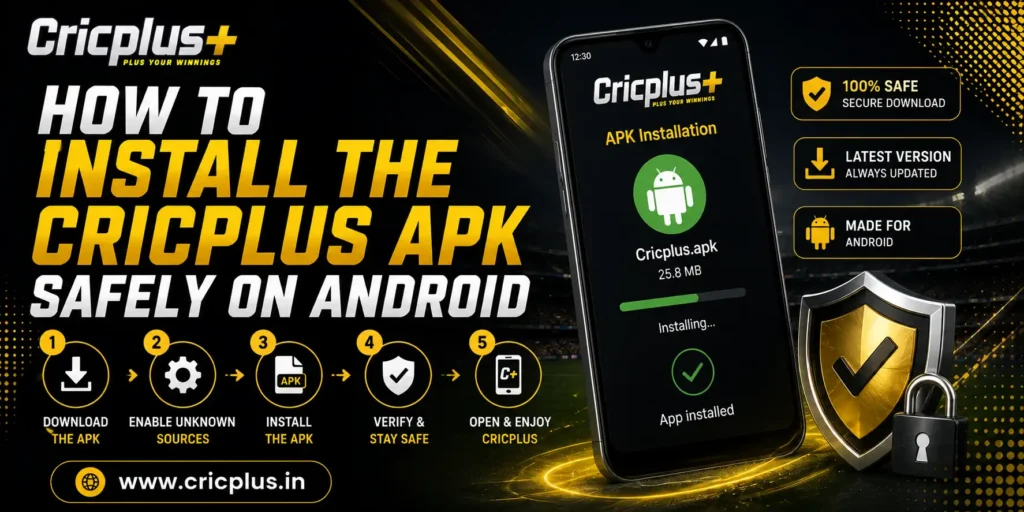
As mobile betting continues to grow, many users prefer accessing their favourite sports betting and casino platform directly from their smartphones. The Cricplus App provides a convenient mobile experience, allowing users to explore sports betting markets, follow live matches, manage their accounts, and access casino games without relying solely on a desktop browser.
Before installing any Android application, however, it is important to understand how to install the APK safely. Downloading applications from unofficial sources or skipping important device checks can increase the risk of installation problems or account security issues.
This guide explains what the Cricplus APK is, why Android users prefer it, how to prepare your device before installation, and the recommended steps for installing the application safely.
What Is the Cricplus APK?
An APK (Android Package Kit) is the installation file used by Android devices to install mobile applications. Instead of downloading an app through a traditional app store, Android users can install an APK directly on supported devices.
The Cricplus APK provides Android users with access to the same platform features available through the website, including sports betting, live betting, casino games, account management, and payment functions.
After installation, users can:
- Access their Cricplus account
- Browse available sports betting markets
- Follow eligible live betting events
- Explore casino games
- Manage deposits and withdrawals
- Review account activity from their mobile device
For an overview of mobile features and supported devices, users can also visit the Cricplus App page.
Why Many Android Users Prefer the Cricplus APK
Smartphones have become the primary device for many online betting users. Rather than opening a browser every time they want to access the platform, many users prefer using a dedicated mobile application.
Some of the reasons include:
Faster Access
After installation, the app can be opened directly from the home screen without repeatedly entering the website address.
Mobile-Optimised Navigation
The application is designed specifically for Android devices, making it easier to move between sports betting markets, casino categories, account settings, and transaction history.
Live Betting Convenience
Users following live cricket matches often prefer accessing supported betting markets through the mobile app because they can stay connected while travelling or away from their desktop.
One Account Across the Platform
The same Cricplus account can be used across both the website and the mobile application.
Once registered through the Cricplus Signup page, users can sign in using the same account credentials without creating a separate mobile account.
Preparing Your Android Device Before Installation
Before downloading the Cricplus APK, it is worth spending a few minutes preparing your device. These simple checks help reduce installation problems and improve the overall app experience.
Check Available Storage
Every Android application requires free storage space to install correctly.
Before downloading the APK:
- Remove unnecessary files if storage is almost full.
- Ensure sufficient free space remains for installation and future updates.
- Avoid interrupting the installation because of low storage warnings.
Update Your Android Software
Keeping Android updated improves compatibility with newer applications.
Recent operating system updates often include:
- Better performance
- Improved security
- Bug fixes
- Compatibility improvements
Installing the latest available Android updates before installing the APK can help prevent unnecessary issues.
Use a Stable Internet Connection
Interrupted downloads may result in incomplete installation files.
For the best experience:
- Connect to a reliable Wi-Fi network whenever possible.
- If using mobile data, ensure the connection remains stable throughout the download.
- Avoid switching between different networks during the download process.
Charge Your Device
Although installing the APK does not normally take long, ensuring sufficient battery power prevents interruptions during installation.
Charging the device beforehand helps avoid unexpected shutdowns.
How to Install the Cricplus APK Safely
Installing the Cricplus APK is a straightforward process when completed carefully.
Step 1 – Visit the Official Cricplus Platform
Always begin by accessing the official Cricplus website.
Downloading APK files from unofficial websites may expose users to outdated or modified installation files that are not associated with the official platform.
Step 2 – Download the Latest APK Version
Locate the official download option provided on the Cricplus platform and begin downloading the latest available APK.
Using the newest version helps improve:
- Performance
- Security
- Compatibility
- Access to recently added platform features
Step 3 – Allow Installation (If Required)
Depending on your Android device settings, Android may request permission before installing applications downloaded outside the Google Play Store.
If prompted:
- Review the installation request carefully.
- Allow installation from the trusted download source only.
- Continue with the installation process.
Step 4 – Install the Application
Once the APK has finished downloading:
- Open the downloaded file.
- Follow the installation instructions displayed on your device.
- Wait until Android completes the installation process.
The application icon will appear once installation has finished successfully.
Step 5 – Sign In to Your Account
After installation:
- Open the Cricplus App.
- Enter your registered login credentials.
- Access your account securely.
Existing users can continue using their current account, while new users can create one through the Cricplus Signup page before signing in.
Common Installation Mistakes to Avoid
Although APK installation is generally simple, some users experience avoidable problems because of small mistakes during the process.
Some of the most common include:
Downloading from Unofficial Websites
Only download the APK from the official Cricplus platform.
Using an Outdated APK Version
Older installation files may not include the latest compatibility improvements or platform updates.
Interrupting the Download
Cancelling the download before completion may result in an incomplete APK file.
Ignoring Device Updates
Running older Android software can occasionally cause compatibility issues with newer application versions.
Installing Multiple APK Versions
Installing several versions of the same application simultaneously may create unnecessary conflicts.
Keeping only the latest version helps maintain better performance.
Why Safe Installation Matters
Installing the Cricplus APK correctly is about more than simply getting the application onto your phone. Safe installation practices help ensure that users access the official version of the app, reduce the likelihood of installation errors, and maintain a secure mobile betting experience.
By preparing your Android device, downloading the latest version from the official platform, and avoiding unofficial sources, users can enjoy smoother performance while accessing Cricplus from their smartphones.
What to Do After Installing the Cricplus APK
Once the Cricplus APK has been installed successfully, there are a few simple steps users should follow before exploring the platform. Taking a few minutes to verify the installation and review basic account settings helps create a smoother and more secure mobile experience.
Sign In to Your Account
Existing users can log in using the same credentials they use on the official website. There is no need to create a separate mobile account, as one Cricplus account works across both the website and the Android application.
If you are accessing the platform for the first time, you can create an account through the Cricplus Signup page before signing in.
Check Your Internet Connection
The Cricplus App performs best with a stable internet connection.
Before browsing betting markets or accessing account features, ensure your device is connected to:
- Stable Wi-Fi
- Reliable 4G or 5G mobile data
A strong connection helps load live betting markets and account information more efficiently.
Explore the Platform
After logging in, users can begin exploring different sections available through the application.
Depending on platform availability, these may include:
- Sports Betting
- Live Cricket Betting
- Casino Games
- Account Dashboard
- Wallet
- Transaction History
- Profile Settings
Taking time to become familiar with the app layout makes navigation easier during future visits.
Common Cricplus APK Installation Problems and Solutions
Although the Cricplus APK installation process is usually straightforward, some Android users may occasionally encounter minor issues. Most of these problems can be resolved with simple troubleshooting.
APK Not Installing
Sometimes Android may prevent an application from installing even after the download has finished.
Possible Reasons
- Incomplete APK download
- Insufficient device storage
- Older Android version
- Installation permission not enabled
Solution
Users can try the following:
- Download the latest APK again from the official Cricplus website.
- Free additional storage space.
- Restart the device before trying again.
- Check Android installation permissions if prompted.
Download Interrupted
Occasionally, the APK file may fail to download completely.
Possible Reasons
- Weak internet connection
- Network interruption
- Browser download error
Solution
- Connect to a stable Wi-Fi network.
- Restart the download.
- Avoid switching between Wi-Fi and mobile data during the download process.
App Closes Unexpectedly
If the application closes shortly after opening, the issue is often related to device compatibility or outdated software.
Solution
- Restart the application.
- Restart the Android device.
- Install the latest version of the Cricplus APK.
- Update Android software if an update is available.
Unable to Log In After Installation
If the application installs successfully but account access is unavailable, the issue is usually related to login credentials rather than the installation itself.
Solution
- Verify your registered mobile number or username.
- Check your password carefully.
- Ensure your internet connection is stable.
- Try signing in again after a few minutes.
If account access problems continue, users can visit the Cricplus Login page for additional guidance.
App Running Slowly
Performance issues can sometimes occur when several applications are running simultaneously.
Solution
- Close unnecessary background applications.
- Restart the device.
- Keep sufficient free storage available.
- Update to the latest Cricplus APK version.
How to Keep the Cricplus APK Updated
Regular updates help improve application stability, security, and compatibility with newer Android devices.
Using the latest version allows users to benefit from:
- Improved performance
- Bug fixes
- Better compatibility
- Updated platform features
- Security improvements
When a newer version becomes available, users should install the updated APK from the official Cricplus platform rather than relying on older installation files.
Keeping the application updated also helps reduce compatibility issues after Android operating system updates.
Android Security Tips for Cricplus Users
Installing the application safely is only one part of maintaining a secure betting experience. Following good Android security practices helps protect both the device and the Cricplus account.
Download Only from the Official Platform
Always install the Cricplus APK using the official website. This reduces the risk of downloading modified or outdated installation files.
Protect Your Login Credentials
Never share:
- Passwords
- OTP verification codes
- Account recovery information
These details should remain private at all times.
Lock Your Device
Using a screen lock provides additional protection if the device is lost.
Android users can enable:
- Fingerprint unlock
- Face unlock
- PIN
- Password
Update Android Regularly
Operating system updates often contain important security improvements.
Keeping Android updated improves compatibility with newer application versions while strengthening overall device security.
Log Out from Shared Devices
If Cricplus is accessed on someone else’s Android device, always sign out after finishing the session.
This simple habit helps protect account privacy.
Frequently Asked Questions
Is the Cricplus APK safe to install?
The Cricplus APK should always be downloaded from the official Cricplus platform. Installing the official version helps reduce security risks and ensures users receive the latest available application.
Can I use the same Cricplus account on the app?
Yes. The same Cricplus account can be used on both the website and the Android application without creating a separate account.
Why is my APK not installing?
Installation issues may occur because of incomplete downloads, low storage space, outdated Android software, or installation permissions. Checking these factors usually resolves the problem.
Do I need to update the Cricplus APK?
Yes. Keeping the latest version installed helps improve performance, compatibility, and access to new platform features.
Can I install the Cricplus APK on any Android phone?
The application works on supported Android devices that meet the required software and hardware specifications. Keeping your device updated generally provides the best experience.
Final Thoughts
The Cricplus APK provides Android users with a convenient way to access sports betting, live cricket betting, casino games, and account management directly from their smartphones. Installing the application safely is an important first step toward enjoying a smooth and secure mobile experience.
By downloading the APK only from the official Cricplus platform, preparing your Android device before installation, and keeping the application updated, users can reduce common installation problems while benefiting from improved performance and security. Following simple practices such as protecting login credentials, maintaining device updates, and using secure internet connections further enhances account safety.
Whether you’re a new user or an existing member, the Cricplus App offers quick access to the platform from supported Android devices. If you don’t yet have an account, you can register through the Cricplus Signup page, while existing users can securely access their accounts through Cricplus Login. If you experience installation or account-related issues, the Cricplus Customer Support team is available to provide further assistance.